
Image to Text Converter
Turn any image into editable, copyable text in seconds. Our image to text converter is fast, accurate, multilingual, and simple to use.
Why choose our image to text converter
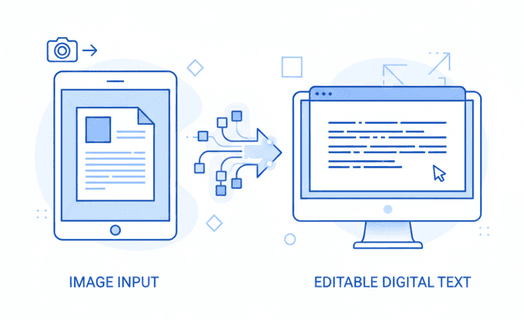
Stop retyping text from screenshots, scans, and PDFs. Our image to text converter turns visuals into clean, editable text in seconds—so you can paste, search, and reuse content without the busywork.
Unlike generic OCR, it handles small fonts, skewed pages, receipts and forms, and preserves line breaks for readable output. It supports PNG, JPG, WebP, HEIC, and scanned PDF, and works across multiple languages.
Trusted by 1M+ users worldwide






Convert images to text in 3 quick steps
Three simple steps to convert images to text
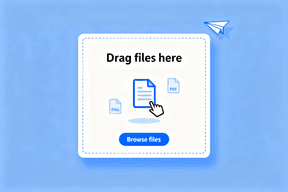
Step 1. Upload
Drag and drop an image or PDF, or paste a public link. The tool accepts common formats like PNG, JPG, WebP, HEIC, and scanned PDF, making it easy to process screenshots, scans, and photos.
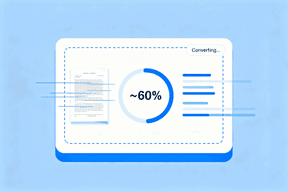
Step 2. Convert
Click Convert and wait a moment while the tool runs OCR to extract the text. You will see progress instantly for small files, and slightly longer for multi‑page PDFs or high‑resolution scans.
Step 3. Copy or export
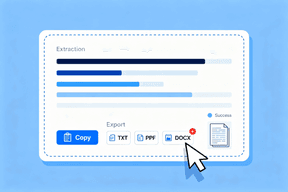
Review the extracted text, then copy it in one click or export it as TXT, CSV, or DOCX. The tool keeps natural line breaks and paragraphs so your content is readable and ready to edit.
Key capabilities for Image to Text Converter
Built for accuracy, multilingual support, and simplicity. These capabilities help this tool deliver reliable results across a wide range of inputs.
High OCR accuracy
Our image to text converter is optimized for both printed and neat handwritten text. It handles small fonts, skewed angles, and moderate noise better than generic tools, so you spend less time fixing errors.
Multilingual OCR
Out of the box, our image to text converter can detect and extract text across many languages. Whether your images contain English, Spanish, French, German, Portuguese, or mixed scripts, the OCR adapts to maintain context and accuracy.
Multi‑format support
From PNG and JPG to WebP, HEIC, and scanned PDF, the image to text converter processes screenshots, scans, and camera photos. Batch multiple files to speed up repetitive tasks and keep your workflow moving.
Structure‑preserving output
Good OCR is not just about characters; it is about structure. The tool keeps line breaks and intelligently groups paragraphs, so your output is easier to read, edit, and paste into documents or spreadsheets.
Easy export
Copy results in one click, or export to TXT, CSV, and DOCX. The tool aims to reduce friction between extraction and real work—saving you time on formatting.
Privacy‑first handling
Files are handled with care and are automatically deleted after processing. Our image to text converter keeps basic use frictionless—no signup required for essential conversions.
Popular ways to use an image to text converter
People choose image to text converter to streamline everyday tasks at school, work, and home.

Study and research
Capture text from lecture slides, notes, textbooks, and academic PDFs. The image to text converter helps students and researchers quickly turn images into editable notes and citations.

Work and productivity
Extract data from receipts, invoices, forms, diagrams, and whiteboard photos. With this image to text converter, you can reduce manual typing and speed up documentation.

Content creation
Reuse text from screenshots, UI mockups, presentations, and design drafts. The image to text converter makes it simple to recycle and refine content across tools.

Accessibility
Read text embedded in images and scans. The image to text converter helps make visual text content more accessible and easier to navigate with screen readers or translation tools.

Data entry and tables
Digitize printed tables into CSV to analyze or import into spreadsheets. The image to text converter reduces error‑prone manual entry and accelerates data cleanup.
Document digitization
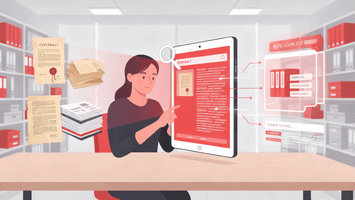
Transform printed documents, contracts, and archival materials into searchable digital text. The image to text converter helps preserve and organize important papers while making them easy to find and reference.
What users say about our image to text converter
Real users share how this image to text converter improved their daily work.
"I saved hours converting screenshots from a PDF report. This image to text converter kept line breaks perfectly."

"Simple, fast, and the exports are exactly what I need. This image to text converter fits into my workflow."

"Great for study notes. I point it at slides and get clean text. This image to text converter just works."

"Multilingual OCR is a life saver. The image to text converter handled mixed English and Spanish without switching anything."

"Batch uploads saved my team hours each week. This image to text converter processed receipts and forms with near‑zero manual cleanup."

FAQs about converting images to text
Have questions? We've got answers to some of the most common inquiries.
Start converting images to text now
Ready to convert images to text? Try now and turn any image or PDF into editable text in seconds.
"Best accuracy I have tried so far. This image to text converter handled my scanned receipts with fewer mistakes than other tools."